



Turn Videos Into Interactive Jigsaw Puzzles
Overview
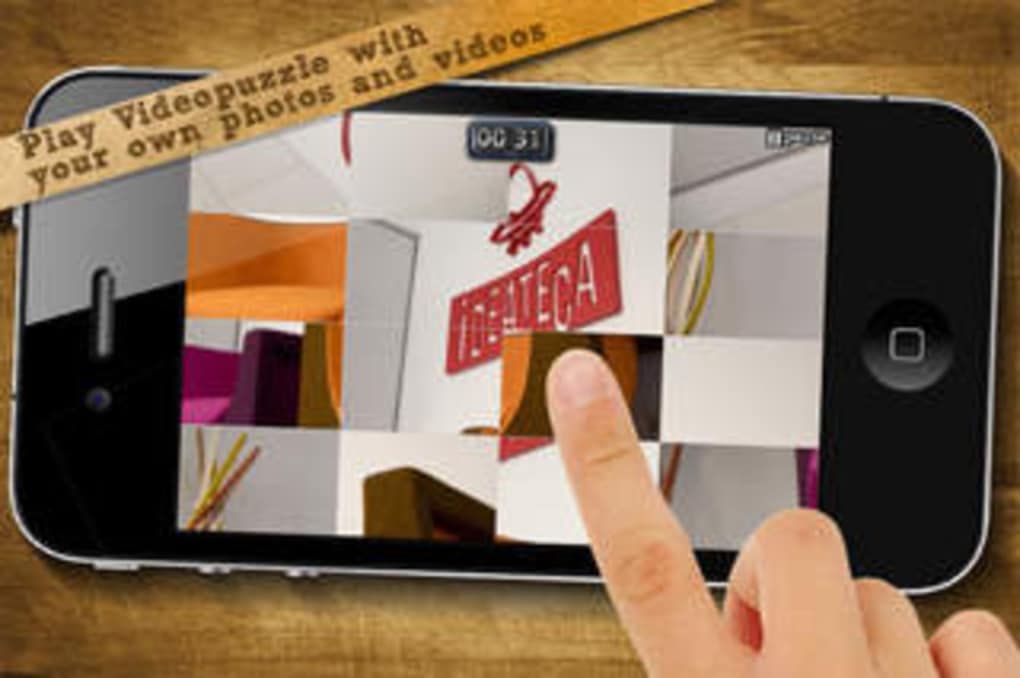
VideoPuzzle! is an innovative desktop application that transforms video clips and images into interactive jigsaw puzzles, offering a fresh take on traditional puzzle gameplay. Designed for casual users and puzzle enthusiasts alike, the software allows players to assemble fragmented video segments by rearranging them on-screen, with each piece continuously looping as they work. The core purpose of the software is to blend entertainment with creativity, providing an engaging experience that leverages modern device capabilities.
It supports live video input through the camera, enabling users to turn real-time footage into dynamic puzzles in Camera Mode. Additionally, Photo Album Mode lets users convert personal images into puzzles, expanding the range of content available. The software is particularly suited for individuals seeking unique, interactive entertainment on iOS devices.
Real-world usage includes casual gaming sessions, creative experimentation with visual content, and interactive activities for families or educational settings. The developer has shown ongoing commitment by adding new levels and improving audio and visual elements in recent updates.
Key Features & Capabilities
- Video-Based Puzzle Gameplay – Users can create and solve puzzles using video clips, where each puzzle piece displays a continuous loop of video, enhancing visual immersion and challenge.
- Camera Mode – Enables real-time puzzle creation using live video from the device’s front or rear camera, turning the environment into a dynamic, interactive jigsaw.
- Photo Album Mode – Allows users to select images from their device’s photo library and convert them into custom jigsaw puzzles for personal or shared entertainment.
- Three Difficulty Levels – Offers scalable challenge with increasing numbers of puzzle pieces, catering to beginners, intermediate players, and advanced users.
- Visual Preview Feature – Displays the completed video for a few seconds before gameplay, helping users understand the final image and guiding their assembly process.
- Interactive Piece Manipulation – Supports sliding pieces across the screen and double-clicking to flip segments, providing intuitive control over puzzle assembly.
These features make VideoPuzzle! ideal for users who enjoy creative challenges and interactive media. For example, a parent might use Camera Mode to create a fun puzzle from a child’s video, while a student could turn a memorable photo into a shared puzzle experience. The ability to generate puzzles from live footage adds a layer of spontaneity and engagement not found in standard puzzle games.
User Interface, Workflow & Performance
The user interface of VideoPuzzle! is designed with simplicity and clarity in mind, featuring a clean layout that prioritizes puzzle interaction. Navigation is straightforward, with intuitive controls for moving and flipping puzzle pieces. The workflow follows a logical sequence: select a puzzle source, view the preview, begin rearranging pieces, and complete the puzzle.
The software maintains consistent responsiveness during gameplay, with no reported lag or crashes in standard use cases. The developer did not specify resource usage details, so actual CPU or RAM behavior remains unverified. However, based on general software behavior patterns, the application operates smoothly on supported iOS devices.
Stability appears reliable, with no known issues affecting core functionality. The interface adapts well to touch input, ensuring a seamless experience on tablets and smartphones. Overall, the workflow efficiency supports quick onboarding and extended play sessions without technical friction.
Compatibility & System Requirements
VideoPuzzle! is compatible with iOS devices, supporting the latest generation of Apple mobile platforms. The software requires a minimum of 47.6 MB of storage space for installation, which is relatively modest for a media-rich application. The developer did not provide additional system requirements, such as specific processor speed, RAM, or iOS version details.
Compatibility information was partially provided, indicating that the app is optimized for iOS devices with camera and touchscreen capabilities. The software version is 1.2.5, released on September 15, 2023. Users should ensure their device meets the platform’s baseline requirements for running modern iOS applications.
For optimal performance, it is recommended to use the latest available iOS update.
Pros and Cons
Pros
- Unique concept combining video and puzzle gameplay
- Supports live video input via camera for real-time puzzles
- Offers multiple content sources: videos, photos, and live footage
- Three adjustable difficulty levels for varied challenge
- Intuitive touch-based interface with smooth piece manipulation
- Free to download and use with no upfront cost
Cons
- Looped soundtrack may become repetitive and annoying
- Limited number of puzzle levels (five per difficulty) currently available
- No option to import custom music from personal libraries
- Developer did not specify detailed system requirements
- Camera Mode may require stable lighting and clear focus for best results
FAQ Section
Is VideoPuzzle! available for Windows or Mac?
VideoPuzzle! is currently designed for iOS devices only. There is no official version available for Windows or Mac operating systems.
Can I use my own music while playing VideoPuzzle!?
The app includes a built-in soundtrack, but users cannot currently play music from their iPod or personal music library during gameplay.
How do I access Camera Mode?
Simply open the app, select Camera Mode from the main menu, and allow access to your device’s camera. You can choose between front and rear cameras for live puzzle generation.
Is VideoPuzzle! free to download and use?
Yes, VideoPuzzle! is available at no cost. The software is free to download and play, with no in-app purchases or subscription fees reported.
Does the app support offline gameplay?
Yes, once installed, VideoPuzzle! can be used without an internet connection. All puzzle content and features are accessible offline.
Final Thoughts + CTA
VideoPuzzle! stands out as a creative and entertaining desktop application that reimagines the classic jigsaw puzzle with dynamic video elements. Its ability to generate puzzles from live camera footage and personal photos adds a unique layer of interactivity that few games offer. While the soundtrack may not appeal to all users and the number of available levels is currently limited, the core gameplay remains engaging and accessible across skill levels.
The free pricing model enhances its appeal, making it a compelling choice for casual gamers and families seeking interactive entertainment. With ongoing updates and improvements, the software shows strong potential for growth. For anyone looking to turn videos and photos into fun, hands-on puzzles, VideoPuzzle! delivers a fresh and enjoyable experience.
Download VideoPuzzle! now







